
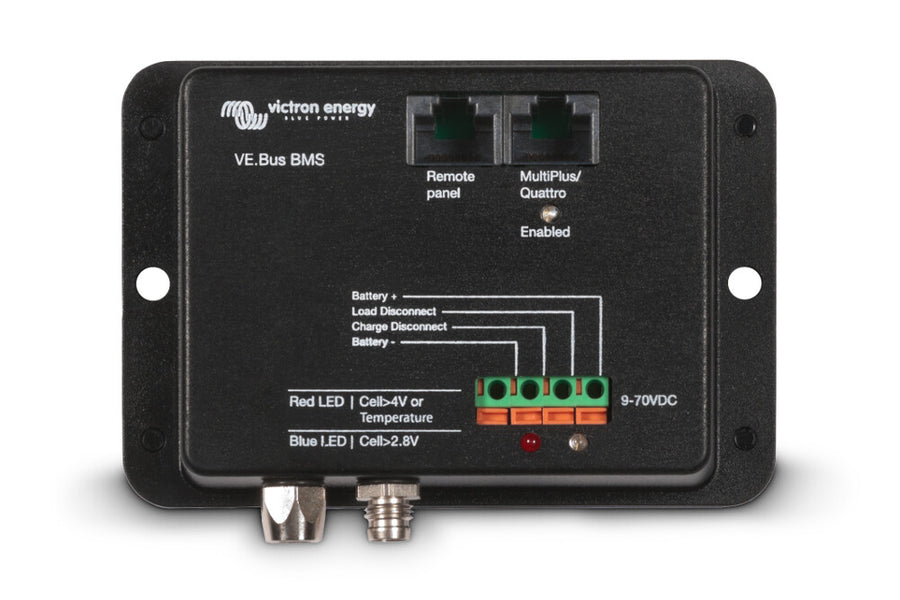
Victron Battery Management System VE.Bus BMS
Battery Management System VE.Bus BMS by Victron
Protects every single cell of a lithium iron phosphate (LiFePO4 or LFP) battery
Every single cell of a LiFePO4 battery must be protected against overvoltage, undervoltage, and overtemperature.
Victron LiFePO4 batteries feature built-in cell balancing, temperature, and voltage control (BTV). They are connected to the VE.Bus BMS via two M8 round connector cable sets.
The BTVs of multiple batteries can be daisy-chained. Up to ten batteries can be connected in parallel and up to four batteries in series (BTVs are simply chained), allowing for the assembly of a 48 V battery bank with up to 3000 Ah. For more details, please refer to the technical documentation for Victron LiFePO4 batteries.
Tasks of the BMS:
- Shutting down or disconnecting loads in case of imminent undervoltage
- Reducing charging current in case of imminent cell overvoltage or overtemperature (only for VE.Bus products)
- Shutting down or disconnecting battery chargers in case of imminent cell overvoltage or overtemperature.
Overview of a Battery System
You can customize your battery system individually.
Three components are used to control the energy flows:
-
VE.Bus BMS
is the central control unit. The data cables of the batteries are connected, so that the BMS can pass on the read information for the appropriate switching commands. Furthermore, there are numerous other communication ports, which can be used to control, for example, MultiPlus inverters or high-current relays. -
Cyrix Li Load
This device is connected between the load and the power supply (the batteries). If the battery runs low (undervoltage alarm), the consumers are disconnected from the battery. -
Cyrix Li Charge
The Charge Li device is located between the batteries and chargers, such as the solar system or an alternator. If the energy source provides too much power (overvoltage notification), the charger is disconnected.
Technical Data
